Sorted by what is next
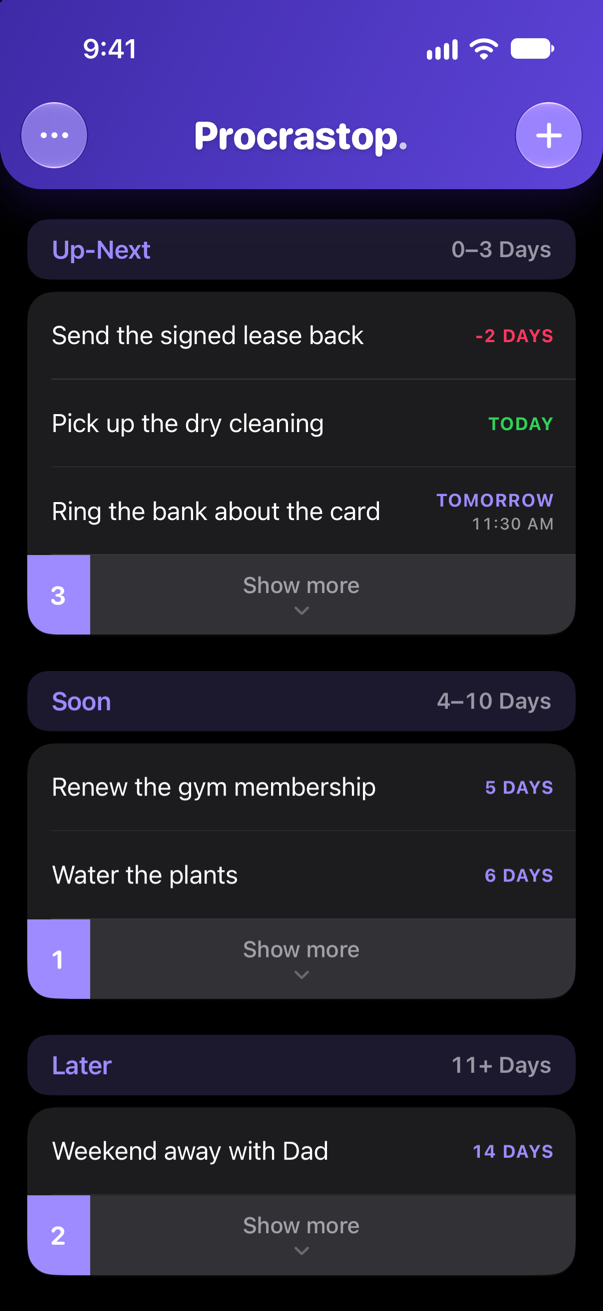
Tasks sit in Up-Next, Soon or Later depending on how close the deadline is, and they move up on their own.

Procrastop.
Stop Procrastinating
iPhone · One-time purchase
Procrastop keeps your tasks in order by what is due next, then pushes as hard as each one deserves. A quiet reminder for most of them. For the one you keep avoiding, something a lot harder to ignore.
A single purchase. No subscription, no account, and your tasks never leave your iPhone.
You did not forget. You decided to deal with it later.
Writing the list takes thirty seconds. The hard part arrives hours later, when the reminder appears, you glance at it, and you swipe it away. Most to-do apps are built for the writing. Procrastop is built for the swiping away.
The idea
No projects, tags, priority flags or drag handles. Every task has a due date, and that is the whole filing system. The list reorders itself as deadlines approach, so there is nothing to tidy and nothing to keep on top of.
Tasks sit in Up-Next, Soon or Later depending on how close the deadline is, and they move up on their own.
Keeps the list short so you see what actually needs you today. Everything else is one tap away.
No reordering, no weekly review. Finish a task and it leaves the list. Miss one and it stays at the top, where you cannot miss it.
Per task
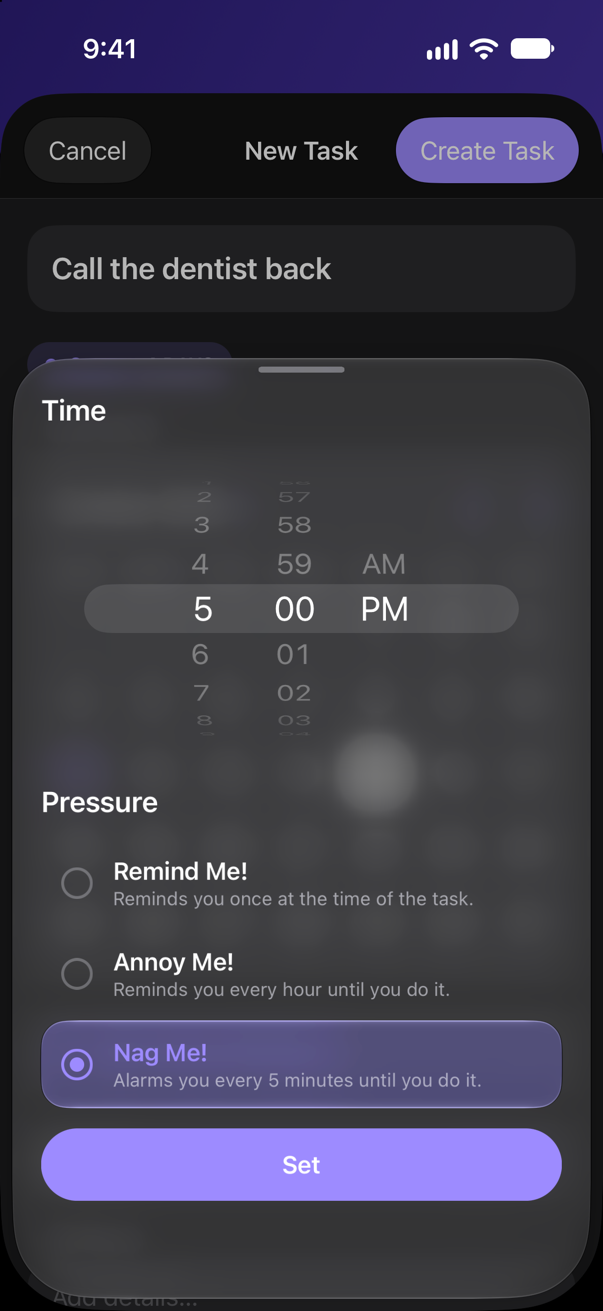
Picking up milk is not the tax return. Give a task a time and Procrastop asks one more question: how much pressure? There are three answers, and you pick one per task.
One reminder, at the time the task is due. Right for almost everything.
Keeps coming back until the task is actually done.
A real alarm, not a notification. It rings through silent mode, and it will not let go. The only way out is finishing the task.
On your iPhone
Native iOS throughout, in light or dark, with the fonts and controls you already know.
One payment, then it is yours. No subscription, no account, and it works offline.

New to it? The Guide covers everything you need in a couple of minutes.